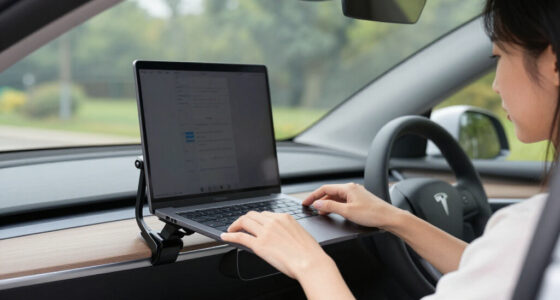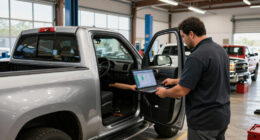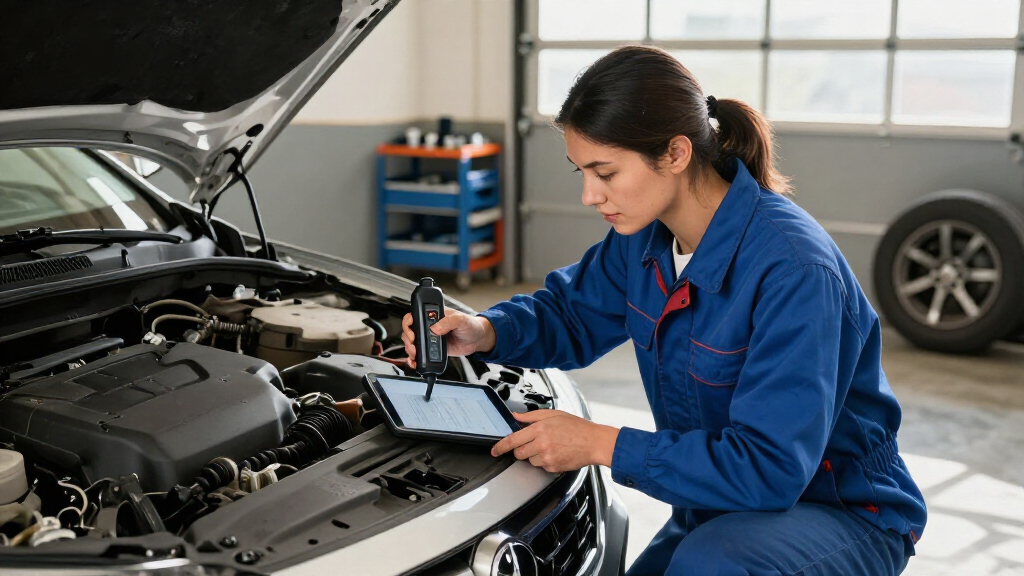

Wireless car diagnostic scanners range from simple code readers to tablet-based tools with bidirectional controls and service functions. I’d name the BlueDriver Bluetooth OBD2 Scanner my best overall pick for a practical phone-based setup, while the Autel MaxiCOM MK900BT stands out for broad professional-style diagnostics and the Veepeak OBDCheck BLE for a compact, straightforward reader. The main tradeoff is between low-cost code access and more advanced vehicle-system coverage, which often depends on both the scanner and its app. Compatibility, subscription terms, and the difference between clearing a code and fixing its cause matter just as much as wireless connection type. Read on for how the 13 options compare and which one fits your vehicle and repair plans.

Get business pricing on garage and car supplies
- Business-only prices and quantity discounts
- Tax-exempt purchasing
- Multiple users, one account, clear invoices
Complete the kit


Key Takeaways
- Wireless does not mean the same capability: phone dongles such as BlueDriver and Veepeak favor portability, while the Autel MK900BT and ANCEL DS500BT use larger tablet-style interfaces for broader diagnostic workflows.
- Bidirectional control marks a meaningful step up: models including the XTOOL A30M, TOPDON TopScan Lite, THINKCAR ThinkScan Plus S7, and Autel MK900BT target users who want to command supported components, not only read faults.
- Vehicle coverage needs checking before purchase: full-system scans and reset functions vary by make, model, year, and system, so a feature list alone does not prove fit for a particular car.
- Phone-app convenience comes with a dependency: BlueDriver, FIXD, LONAUTO, YTFRL, V011, and Veepeak rely on a compatible phone and app, making operating-system support and app limitations part of the buying decision.
- The lineup splits by intended workload: compact Bluetooth readers suit basic ownership checks, while tablet and advanced wireless tools make more sense for DIY repair work that uses service functions or active tests.
| BlueDriver Bluetooth OBD2 Scanner for iPhone and Android |  | Best Phone-Based Scanner | Brand: BlueDriver | Model: Pro | Manufacturer: Lemur Vehicle Monitors | VIEW LATEST PRICE | See Our Full Breakdown |
| THINKCAR ThinkScan Plus S7 OBD2 Diagnostic Scanner |  | Best for a Dedicated Touchscreen | Display: 5-inch touchscreen | Operating system: Android 6.0 | Processor: Quad-core 1.3 GHz | VIEW LATEST PRICE | See Our Full Breakdown |
| ANCEL DS500BT Bidirectional OBD2 Scan Tool with 7-Inch Tablet |  | Best for Active Tests | Display size: 7 inches | Connectivity: Bluetooth 5.0 VCI | Active tests: More than 3,000 | VIEW LATEST PRICE | See Our Full Breakdown |
| Autel MaxiCOM MK900BT Bidirectional Automotive Diagnostic Scanner |  | Best Premium Workshop Tool | Display: 8-inch | Active tests: More than 3,000 | Service functions: More than 40 | VIEW LATEST PRICE | See Our Full Breakdown |
| LONAUTO LB03 Bluetooth OBD2 Scanner for iPhone and Android |  | Best for Basic Engine Checks | Connectivity: Bluetooth BLE 5.0 | Compatible platforms: iOS, Android, and Windows | App: AutoOBDII; free with no subscription | VIEW LATEST PRICE | See Our Full Breakdown |
| BlueDriver Bluetooth OBD2 Scanner for iPhone and Android |  | Best for Enhanced Diagnostics | Brand and model: BlueDriver LSB2 | Connection: Bluetooth | Supported devices: iOS and Android phones or tablets | VIEW LATEST PRICE | See Our Full Breakdown |
| YTFRL Bluetooth OBD2 Scanner for Car |  | Best for Basic Engine-Code Checks | Brand and model: YTFRL Bluetooth OBD2 Scanner for Car | Manufacturer part number: YTFRL-6665DT | Connectivity: Bluetooth | VIEW LATEST PRICE | See Our Full Breakdown |
| V011 Bluetooth OBD2 Scanner for iOS and Android |  | Best for App-Guided Basics | Model: V011 | Connectivity: Bluetooth 5.4 | Device compatibility: iOS and Android | VIEW LATEST PRICE | See Our Full Breakdown |
| XTOOL AD20 Pro OBD2 Scanner, Full-System Car Diagnostic Tool |  | Best for Broad System and Maintenance Coverage | Vehicle coverage: 85+ global vehicle brands | Connectivity: Wireless connection through a smartphone app | System diagnostics: ABS, SRS, transmission, TPMS, and A/C | VIEW LATEST PRICE | See Our Full Breakdown |
| Veepeak OBDCheck BLE Bluetooth OBD-II Scanner for iOS and Android |  | Best Compact Standard-OBD2 Pick | Brand and model: Veepeak OBDCheck BLE | Connectivity: Bluetooth LE for iOS and Android; classic Bluetooth also supported for Android | Vehicle compatibility: Most U.S. cars and light trucks from 1996 onward for standard OBD-II diagnostics | VIEW LATEST PRICE | See Our Full Breakdown |
| FIXD Bluetooth OBD2 Scanner for iPhone and Android |  | Best for Beginners | Connectivity: Bluetooth | Operating systems: Android and iOS | Gasoline and hybrid coverage: 1996 and newer | VIEW LATEST PRICE | See Our Full Breakdown |
| XTOOL A30M Bidirectional Bluetooth OBD2 Scanner with 26+ Reset Functions |  | Best for Hands-On DIY Diagnostics | Connectivity: Bluetooth 4.0, up to 33 ft | Vehicle coverage: Vehicles from 1996 onward; over 85 brands | Reset and relearn functions: 26+ | VIEW LATEST PRICE | See Our Full Breakdown |
| TOPDON TopScan Lite OBD2 Scanner with Bidirectional Control and AI Assistant |  | Best for App-Guided Repairs | Compatibility: iOS and Android; stated coverage of 10,000+ models | Vehicle coverage: Manufacturer states 99.99% of vehicles | Diagnostics: Full-system scanning and bidirectional control | VIEW LATEST PRICE | See Our Full Breakdown |
| wireless car diagnostic scanner | Connectivity | Vehicle coverage |
|---|---|---|
| BlueDriver Bluetooth OBD2 Scan | Bluetooth | — |
| THINKCAR ThinkScan Plus S7 OBD | — | 94 car brands |
| ANCEL DS500BT Bidirectional OB | Bluetooth 5.0 VCI | — |
| Autel MaxiCOM MK900BT Bidirect | Bluetooth and Wi-Fi | 150-plus brands; vehicles from 1996–2026 |
| LONAUTO LB03 Bluetooth OBD2 Sc | Bluetooth BLE 5.0 | — |
| BlueDriver Bluetooth OBD2 Scan | — | Gas-powered vehicles from 1996 onward in the U.S., Canada, and Mexico |
| YTFRL Bluetooth OBD2 Scanner f | Bluetooth | — |
| V011 Bluetooth OBD2 Scanner fo | Bluetooth 5.4 | Vehicles from 1996 onward; stated support for over 96% of makes and models |
| XTOOL AD20 Pro OBD2 Scanner | Wireless connection through a smartphone app | 85+ global vehicle brands |
| Veepeak OBDCheck BLE Bluetooth | Bluetooth LE for iOS and Android; classic Bluetooth also supported for Android | — |
| FIXD Bluetooth OBD2 Scanner fo | Bluetooth | — |
| XTOOL A30M Bidirectional Bluet | Bluetooth 4.0, up to 33 ft | Vehicles from 1996 onward; over 85 brands |
| TOPDON TopScan Lite OBD2 Scann | — | Manufacturer states 99.99% of vehicles |
More Details on Our Top Picks
BlueDriver Bluetooth OBD2 Scanner for iPhone and Android
BlueDriver makes the most sense for drivers who want more than basic engine-code reading without buying a dedicated scan-tool tablet. Its Bluetooth connection sends data to an iOS or Android device, where the app can show live data, smog readiness, and technician-verified repair reports. On supported vehicles, it also reads and clears ABS, SRS, TPMS, and transmission codes—a broader reach than the engine-only LONAUTO LB03. There are no subscription fees, which keeps the app’s added guidance available without an ongoing commitment. The tradeoff is that enhanced-system coverage depends on the vehicle, and a compatible phone or tablet is required. Compared with the THINKCAR ThinkScan Plus S7, BlueDriver is more compact and phone-centered, but it lacks the S7’s dedicated touchscreen and stated seven-system coverage.
Pros:- Reads and clears multiple system codes, including ABS, SRS, TPMS, and transmission codes on supported vehicles
- App combines live data, smog readiness checks, and technician-verified repair reports
- No subscription fees or account required
- Bluetooth connection works with iOS and Android devices
Cons:- Enhanced diagnostics depend on vehicle compatibility
- Requires a compatible phone or tablet
- Vehicle coverage is limited to gas vehicles from 1996 onward and select light-duty trucks and diesels
Best for: Drivers with a compatible gas vehicle who want phone-based diagnostics, repair guidance, and access to more than engine codes without a subscription.
Not ideal for: Users who want a standalone screen or need guaranteed advanced-system coverage across a specific vehicle; enhanced diagnostics vary by vehicle.
- Brand:BlueDriver
- Model:Pro
- Manufacturer:Lemur Vehicle Monitors
- Part number:LSB2
- Connectivity:Bluetooth
- Compatibility:iOS and Android
- Vehicle compatibility:Gas vehicles from 1996 onward; select light-duty trucks and diesels
- Warranty:180-day money-back guarantee; one-year coverage for defective products
Our verdict“Choose BlueDriver if you want a phone-based scanner with useful repair guidance and broader diagnostics than a basic engine-code reader.”
THINKCAR ThinkScan Plus S7 OBD2 Diagnostic Scanner
The ThinkScan Plus S7 is the phone-free choice for buyers who prefer a handheld screen and broad system access. Its 5-inch touchscreen covers seven systems—including engine, ABS, SRS, transmission, body control, air conditioning, and dashboard—and supports all 10 OBD2 test modes. That gives it a wider stated system list than the phone-based BlueDriver, while avoiding the need to use a personal device as the display. The S7 also adds live data, code lookup, diagnostic reports, and wireless updates covering 94 car brands. Its main compromise is the service menu: there are 28 options, but buyers can select only five. Compared with the more capable Autel MaxiCOM MK900BT, the S7 is a simpler dedicated tool, with fewer listed service functions and no stated bidirectional active-test capability.
Pros:- Scans seven listed vehicle systems
- Supports all 10 OBD2 test modes
- Built-in touchscreen, live data, code lookup, and diagnostic reports
- Wireless software updates and stated coverage for 94 car brands
Cons:- Only five of the 28 maintenance service options can be selected
- No bidirectional active-test capability is stated in the supplied product details
- Its 16-ounce handheld format is less pocketable than a Bluetooth adapter
Best for: DIY owners who want a standalone touchscreen scanner for routine diagnosis across several vehicle systems, without relying on a phone app.
Not ideal for: Technicians who need extensive active tests or a large set of service resets; only five of the 28 maintenance options can be selected.
- Display:5-inch touchscreen
- Operating system:Android 6.0
- Processor:Quad-core 1.3 GHz
- Storage:32 GB; expandable to 256 GB
- Vehicle coverage:94 car brands
- Systems scanned:Engine, ABS, SRS, transmission, body control, air conditioning, and dashboard
- Maintenance services:Choose five from 28 options
- Weight:16 ounces
Our verdict“Pick the S7 if a dedicated screen and multi-system code reading matter more than a larger service-function menu or bidirectional controls.”
ANCEL DS500BT Bidirectional OBD2 Scan Tool with 7-Inch Tablet
For buyers who want to move beyond reading codes and try commanding vehicle components, the ANCEL DS500BT is the most action-oriented option in this group. Its Bluetooth 5.0 VCI links to a 7-inch tablet, and the tool lists more than 3,000 active tests alongside 28-plus service functions. That makes it a stronger fit for hands-on troubleshooting than the THINKCAR ThinkScan Plus S7, whose supplied details focus on system scans and OBD2 test modes rather than active controls. Wireless operation and shareable reports add convenience when passing findings to a mechanic or keeping a record. The tradeoff is vehicle dependence: not every test or service function works on every model, so compatibility checking matters before purchase. At 3.2 pounds, it is also a much larger setup than a compact phone-connected adapter like BlueDriver.
Pros:- Lists more than 3,000 active tests for supported vehicles
- Includes more than 28 service functions and full-system diagnostics
- Bluetooth 5.0 VCI supports wireless use
- Lifetime free software updates and shareable diagnostic reports
Cons:- Active tests and service functions vary by vehicle
- Compatibility may need confirmation before purchase
- The 3.2-pound tablet setup is less portable than a compact Bluetooth adapter
Best for: DIY mechanics and independent repairers who want a tablet interface and active component tests on supported 12V passenger vehicles.
Not ideal for: Drivers seeking a small, simple reader for occasional check-engine alerts, or buyers unwilling to confirm feature compatibility for their vehicle.
- Display size:7 inches
- Connectivity:Bluetooth 5.0 VCI
- Active tests:More than 3,000
- Service functions:More than 28
- Vehicle support:Supported 12V passenger vehicles
- Software updates:Lifetime free updates
- Weight:3.2 pounds
- Warranty:One year
Our verdict“Choose the DS500BT if active testing and a large tablet display matter more than portability or simple plug-in code checks.”
Autel MaxiCOM MK900BT Bidirectional Automotive Diagnostic Scanner
The Autel MaxiCOM MK900BT earns its place for buyers who need a broad diagnostic platform rather than a basic wireless code reader. It combines all-system diagnostics, more than 3,000 active tests, and over 40 service functions with CAN FD and DoIP protocol support. Those newer protocols and the stated 150-plus-brand coverage make it a more workshop-oriented choice than the ANCEL DS500BT, which also offers active tests but lists fewer service functions. Autel adds live-data recording and playback, automatic vehicle identification, and Wi-Fi printing for pre- and post-scan reports—useful when documenting a repair. The tradeoffs are meaningful: vehicle compatibility still limits some functions, included software updates last one year, and battery testing requires a separate BT506. It is a substantial step up from phone-based scanners, but may exceed the needs of routine code checks.
Pros:- All-system diagnostics with more than 3,000 active tests
- More than 40 service functions and support for CAN FD and DoIP
- Live-data recording and playback plus automatic vehicle identification
- Wi-Fi printing for pre- and post-scan reports
Cons:- Some functions depend on the vehicle and may not be available across the full coverage range
- Battery testing requires a separately purchased BT506
- One year of software updates is included
Best for: Professional technicians and advanced DIY users who need wide system coverage, bidirectional controls, newer protocols, and printable scan reports.
Not ideal for: Casual owners who only want to check engine codes, or buyers who need battery testing included and do not want to purchase a separate accessory.
- Display:8-inch
- Active tests:More than 3,000
- Service functions:More than 40
- Vehicle coverage:150-plus brands; vehicles from 1996–2026
- Protocols:CAN FD and DoIP
- Connectivity:Bluetooth and Wi-Fi
- Software updates:One year included
- Battery testing:Requires separately purchased BT506
Our verdict“The MK900BT suits repair-focused users who can use its extensive controls and reporting, but it is more tool than a basic code-checking buyer needs.”
LONAUTO LB03 Bluetooth OBD2 Scanner for iPhone and Android
The LONAUTO LB03 is a deliberately limited option for owners who want to check engine faults and emissions status from a phone, not run deeper system diagnostics. It reads engine codes, live sensor data, freeze-frame records, EVAP status, and I/M readiness through the free AutoOBDII app. That covers common first checks without a subscription, and its BLE 5.0 connection keeps the adapter compact. The boundary is clear: unlike BlueDriver, the LB03 does not support ABS, SRS, transmission, or service-reset diagnostics. It also excludes hybrid, plug-in electric, fully electric, and 24V heavy-duty diesel vehicles. This makes it a better match for a straightforward gasoline-car owner than for someone building a broader DIY toolkit. Android users should also expect Bluetooth pairing during setup.
Pros:- Reads engine codes, live data, freeze-frame records, and emissions readiness
- Free AutoOBDII app with no subscription
- Compact Bluetooth BLE 5.0 adapter connects to a phone
- Supports many standard OBD-II vehicles across North America, Asia, and Europe
Cons:- Limited to basic engine diagnostics; excludes ABS, SRS, transmission, and service resets
- Not compatible with hybrid, plug-in electric, fully electric, or 24V heavy-duty diesel vehicles
- Android setup requires Bluetooth pairing
Best for: Owners of compatible gasoline vehicles who want an inexpensive-to-run phone-based tool for engine codes, live data, and emissions-readiness checks.
Not ideal for: Hybrid or electric vehicle owners, heavy-duty diesel users, and DIY mechanics who need ABS, SRS, transmission, or service-reset functions.
- Connectivity:Bluetooth BLE 5.0
- Compatible platforms:iOS, Android, and Windows
- App:AutoOBDII; free with no subscription
- Supported diagnostics:Engine codes, live data, freeze-frame records, I/M readiness, and EVAP status
- Vehicle compatibility:North American vehicles built after 1996, Asian vehicles after 2000, and European vehicles after 2003 using OBD-II
- Not compatible with:Hybrid, plug-in electric, fully electric, and 24V heavy-duty diesel vehicles
- Item weight:31.6 g
- Warranty:Description states one year; product information lists 90 days
Our verdict“Choose the LB03 for basic engine and emissions checks on a compatible gasoline car, but pick BlueDriver if you need access to additional vehicle systems.”
BlueDriver Bluetooth OBD2 Scanner for iPhone and Android
BlueDriver’s advantage is system coverage: beyond engine codes, it can read enhanced diagnostics for ABS, SRS, TPMS, and transmission systems, then pair those results with live data and technician-verified repair reports. That gives a DIY owner more context than the Veepeak OBDCheck BLE, which focuses on standard OBD-II functions and relies on third-party apps. Phone-based Bluetooth operation keeps the hardware simple, and the included app has no subscription fees. The tradeoff is a defined vehicle boundary: it is for gas-powered vehicles from 1996 onward in North America, not diesel vehicles or cars outside that coverage. Buyers who want broader maintenance features such as oil-life reset may prefer the XTOOL AD20 Pro; BlueDriver makes more sense for owners prioritizing clear, enhanced fault-code information.
Pros:- Reads and clears enhanced codes for engine, ABS, SRS, TPMS, and transmission systems
- Provides live data and technician-verified repair reports
- App access and updates have no subscription fees
- Works wirelessly with iOS and Android phones or tablets
Cons:- Limited to gas-powered vehicles from 1996 onward in the U.S., Canada, and Mexico
- Does not list maintenance resets such as oil-life reset among its functions
Best for: North American owners of compatible gas-powered vehicles who want enhanced ABS, SRS, TPMS, and transmission diagnostics with repair guidance on a phone.
Not ideal for: Diesel owners, drivers with vehicles outside the stated year and regional coverage, or buyers seeking service resets and broader maintenance functions.
- Brand and model:BlueDriver LSB2
- Connection:Bluetooth
- Supported devices:iOS and Android phones or tablets
- Vehicle coverage:Gas-powered vehicles from 1996 onward in the U.S., Canada, and Mexico
- Diagnostic systems:Check Engine, ABS, SRS/Airbag, TPMS, and transmission
- Data and reports:Live vehicle data and technician-verified repair reports
- Included:Scanner and app access
- Weight:2.08 ounces
- Guarantee and warranty:180-day money-back guarantee; defective products accepted within one year
Our verdict“Choose BlueDriver if you want enhanced diagnostics and repair reports for a compatible North American gas vehicle without a recurring app fee.”
YTFRL Bluetooth OBD2 Scanner for Car
YTFRL keeps the job narrow: it reads and clears engine fault codes and displays engine data through a compatible phone or computer. That may suit a buyer who wants a basic wireless check, but it offers less documented coverage than BlueDriver, which adds enhanced diagnostics for ABS, SRS, TPMS, and transmission. The ABS-shell housing is a practical touch for a plug-in adapter that may live in a glove box, though the product data does not specify advanced functions or a broad list of supported systems. Setup also depends on using a specified app and a vehicle with a compatible OBDII protocol, so this is not the safest pick for someone who wants a clearly described, beginner-oriented diagnostic package. Check device and vehicle compatibility before choosing it.
Pros:- Reads and clears engine fault codes
- Displays engine data through a connected device
- Connects wirelessly to compatible phones or computers
- ABS-shell casing helps protect the adapter from everyday wear
Cons:- Requires a specified application rather than offering documented broad app compatibility
- Vehicle protocol compatibility needs to be checked before purchase
- Listed operating-system compatibility is Android 4.0, with no iOS support specified
Best for: Android 4.0 users who need a simple wireless reader for engine fault codes and engine data and can verify app and protocol compatibility.
Not ideal for: iPhone users, owners seeking ABS or other enhanced system scans, and buyers who want clearly specified vehicle coverage or broad app flexibility.
- Brand and model:YTFRL Bluetooth OBD2 Scanner for Car
- Manufacturer part number:YTFRL-6665DT
- Connectivity:Bluetooth
- Compatible operating system:Android 4.0 listed
- Functions:Reads and clears engine fault codes; displays engine data
- Vehicle fit:Universal fit; compatible OBDII protocol required
- Power source:Corded electric
- Included:One Bluetooth OBD2 scanner
Our verdict“Pick YTFRL for basic engine-code checks only if your device, app, and vehicle protocol are confirmed compatible.”
V011 Bluetooth OBD2 Scanner for iOS and Android
The V011 is geared toward drivers learning to interpret basic OBD2 results. Its companion app pairs code reading and clearing with live data, VIN and freeze-frame retrieval, emissions readiness checks, and diagnostic guidance and tutorials. That makes it a more guided option than the YTFRL scanner, whose app requirement and protocol compatibility need closer checking, while the BlueDriver adds enhanced system coverage and technician-verified repair reports. V011 lists support for nine protocols and a broad range of vehicles from 1996 onward, but the app remains central to setup and use; the vehicle must also be powered on with Bluetooth enabled. A code may not clear until its underlying fault is repaired, so this is a reader and guide—not a way to make a fault disappear.
Pros:- Reads and clears DTCs and displays live vehicle data
- Retrieves VIN and freeze-frame information and checks emissions readiness
- App includes diagnostic guidance and tutorials
- Supports iOS and Android and lists nine protocols
Cons:- Requires a companion app and an enabled Bluetooth connection for operation
- Vehicle must be powered on during use
- Fault codes may remain until the underlying problem is repaired
Best for: Newer DIY owners who want app-based instructions, emissions-readiness checks, and basic code and live-data access across a compatible 1996-or-newer vehicle.
Not ideal for: Drivers who prefer a standalone screen, need enhanced ABS or transmission diagnostics, or expect code clearing to resolve an unrepaired fault.
- Model:V011
- Connectivity:Bluetooth 5.4
- Device compatibility:iOS and Android
- Vehicle coverage:Vehicles from 1996 onward; stated support for over 96% of makes and models
- Supported protocols:9
- Functions:Read and clear DTCs, emissions readiness, monitor resets, live data, VIN, and freeze-frame retrieval
- Supported languages:English, German, Spanish, Finnish, French, Italian, Dutch, Portuguese, and Chinese
- Included support:Manual and access to 24-hour email troubleshooting support
Our verdict“Choose the V011 if you want app tutorials alongside everyday OBD2 checks and are comfortable using your phone for setup and scans.”
XTOOL AD20 Pro OBD2 Scanner, Full-System Car Diagnostic Tool
The XTOOL AD20 Pro is the broad-coverage choice in this group: it scans ABS, SRS, transmission, TPMS, and A/C systems alongside engine diagnostics, then adds battery monitoring, oil-life reset, emissions checks, and live driving data. That range gives it a wider maintenance role than the Veepeak OBDCheck BLE, which is designed for standard OBD-II checks rather than full-system scans or service procedures. Compared with BlueDriver, the AD20 Pro also lists oil-life reset and CAN FD support for compatible newer GM vehicles, while BlueDriver emphasizes technician-verified repair reports. The tradeoff is that scan data and guidance depend on the smartphone app, and some functions vary by vehicle. Buyers should confirm compatibility for the systems and service actions they plan to use.
Pros:- Scans ABS, SRS, transmission, TPMS, and A/C in addition to engine diagnostics
- Adds battery monitoring, oil-life reset, emissions readiness, and live data
- Standard diagnostics do not require a subscription
- Supports CAN FD on compatible 2020-and-newer GM, GMC, and Chevrolet vehicles
Cons:- Some diagnostics and maintenance functions depend on vehicle compatibility
- A smartphone app is required to view scan and driving data
- Broader functions may be unnecessary for buyers who only need standard engine-code checks
Best for: DIY owners with compatible vehicles who want wireless multi-system scans plus battery monitoring, oil-life reset, and emissions checks in one app-based tool.
Not ideal for: Drivers who want a standalone display, need every service function to work across all vehicles, or only require basic check-engine code reading.
- Vehicle coverage:85+ global vehicle brands
- Connectivity:Wireless connection through a smartphone app
- System diagnostics:ABS, SRS, transmission, TPMS, and A/C
- Protocol support:CAN FD for compatible 2020-and-newer GM, GMC, and Chevrolet vehicles
- Additional functions:Battery monitoring, oil-life reset, emissions readiness, live data, and performance testing
- Repair guidance:AI-based repair guidance
- Power-saving feature:Designed to enter sleep mode when the vehicle is off
- Subscription:No subscription required for standard diagnostics
Our verdict“Choose the AD20 Pro if your vehicle supports its functions and you want more than basic OBD2 scans, including system diagnostics and maintenance features.”
Veepeak OBDCheck BLE Bluetooth OBD-II Scanner for iOS and Android
Veepeak is a straightforward wireless adapter for standard OBD-II checks, including trouble codes, freeze-frame data, emissions readiness, and live sensor readings. Its Bluetooth LE connection supports iOS and Android, with classic Bluetooth also available on Android, and it works with several third-party apps. That flexibility sets it apart from the YTFRL scanner, which specifies a required application, but app choice can add setup steps or extra costs. Veepeak is also more limited than BlueDriver: it is not a full-system scanner and does not support specialized procedures such as oil resets or ABS bleeding. For an owner who mainly wants to check an engine light or monitor sensor data, that narrower scope can be enough; drivers after service functions should choose a more capable tool.
Pros:- Reads and clears standard OBD-II trouble codes and shows freeze-frame data
- Checks I/M readiness and monitors live sensor data
- Supports iOS and Android through compatible third-party apps
- Includes a mini carrying case and a one-year manufacturer replacement warranty
Cons:- Does not provide full-system diagnostics or specialized service functions such as oil resets and ABS bleeding
- Requires a compatible third-party app, and some apps or features may cost extra
- Advanced functions and EV compatibility depend on the vehicle and chosen app
Best for: Drivers who want a compact adapter for standard check-engine, freeze-frame, readiness, and live-data checks using a compatible phone app.
Not ideal for: Owners who need ABS or other full-system diagnostics, specialized service procedures, or a scan experience without third-party app setup.
- Brand and model:Veepeak OBDCheck BLE
- Connectivity:Bluetooth LE for iOS and Android; classic Bluetooth also supported for Android
- Vehicle compatibility:Most U.S. cars and light trucks from 1996 onward for standard OBD-II diagnostics
- Diagnostic functions:Read and clear trouble codes, view freeze-frame data and I/M readiness, monitor live sensor data
- App compatibility:Compatible apps include Car Scanner ELM OBD2, Torque for Android, and OBD Fusion
- Included components:Scanner, mini carrying case, and user instructions
- Warranty:One-year manufacturer replacement warranty
- Limitations:Not a full-system scanner; no specialized service procedures such as oil resets or ABS bleeding
Our verdict“Pick Veepeak if standard OBD-II checks are enough and you are comfortable selecting and setting up a compatible third-party app.”
FIXD Bluetooth OBD2 Scanner for iPhone and Android
FIXD is the approachable pick for drivers who want an explanation of a warning light, not just a code to research. Its app translates more than 39,000 vehicle issues into simpler language, while scan history and mileage-based maintenance reminders can help owners keep track of recurring faults and routine service. It works with iPhone and Android and supports gasoline and hybrid vehicles from 1996 onward, plus diesel vehicles from 2006 onward. Compared with the XTOOL A30M or TOPDON TopScan Lite, FIXD is less focused on active component tests and deeper system work; its strength is making basic diagnostics easier to follow. Some capabilities depend on the vehicle, and advanced features may require an optional premium upgrade, so it suits everyday owners better than repair-focused users.
Pros:- Explains diagnostic codes in straightforward language
- Works with both iPhone and Android
- Keeps scan history and mileage-based maintenance reminders
- Free app supports unlimited scans
Cons:- Available functions vary by vehicle make and model
- Some advanced features require an optional premium upgrade
Best for: Drivers who want a compact iPhone- or Android-connected scanner that explains check-engine codes and tracks maintenance.
Not ideal for: DIY mechanics who need bidirectional controls, full-system diagnostics, or advanced service resets.
- Connectivity:Bluetooth
- Operating systems:Android and iOS
- Gasoline and hybrid coverage:1996 and newer
- Diesel coverage:2006 and newer
- Weight:27.22 g
- Dimensions:1.5 x 0.5 x 1.75 in
- Power source:Vehicle powered
- Included components:FIXD OBD2 scanner and mobile app
Our verdict“Choose FIXD for clear, app-based explanations and maintenance tracking; pick the XTOOL A30M or TOPDON TopScan Lite for more active diagnostic work.”
XTOOL A30M Bidirectional Bluetooth OBD2 Scanner with 26+ Reset Functions
The XTOOL A30M is the most repair-oriented option in this group, pairing full-system scans with bidirectional tests that let users command supported components rather than only read stored faults. Graphing up to eight live data streams can help pinpoint changes while diagnosing, and its 26-plus reset and relearn functions cover a wider range of maintenance tasks than the simpler FIXD. It supports more than 85 brands and includes lifetime software updates, avoiding a recurring update fee. The tradeoff is that the available tests and resets depend on the specific vehicle, so buyers should verify coverage before relying on a function. FCA AutoAuth access also calls for separate registration and payment. Compared with the TOPDON TopScan Lite, the A30M is a strong fit for buyers prioritizing broad diagnostic and service functions over AI repair guidance.
Pros:- Bidirectional active tests can operate supported vehicle components
- Full-system diagnostics and graphing for up to eight live data streams
- Includes more than 26 reset and relearn functions
- Lifetime free software updates
Cons:- Functions vary by vehicle and require compatibility checks
- FCA AutoAuth requires separate registration and payment
- Changing languages requires contacting the manufacturer
Best for: Experienced DIY mechanics who want wireless full-system scans, component tests, live-data graphs, and multiple service functions.
Not ideal for: New drivers seeking simple code explanations or owners unwilling to check vehicle-specific function coverage and FCA access requirements.
- Connectivity:Bluetooth 4.0, up to 33 ft
- Vehicle coverage:Vehicles from 1996 onward; over 85 brands
- Reset and relearn functions:26+
- Live data:Up to 8 streams simultaneously, with graphing
- Diagnostics:Full-system scans and bidirectional active tests
- Supported protocols:CAN FD for GM (2020+); FCA AutoAuth for Chrysler, Jeep, Dodge, and Fiat (2018+)
- Software updates:Lifetime free updates
- Languages:22
- Warranty:2 years
Our verdict“Pick the A30M if you want hands-on tests and broad service functions without an update subscription, and can confirm coverage for your vehicle.”
TOPDON TopScan Lite OBD2 Scanner with Bidirectional Control and AI Assistant
TOPDON TopScan Lite combines active diagnostics with guided troubleshooting, making it a distinctive choice for owners who want more than a code reader but still prefer to work from a smartphone. Full-system scanning and bidirectional controls can test supported components, while the AI assistant and fault-code database are intended to help users move from a fault toward a repair plan. Eight maintenance resets add practical coverage for routine jobs. Unlike FIXD, which focuses on making codes easier to understand, TopScan Lite reaches into component testing; compared with the XTOOL A30M, its standout is the guided app experience rather than the larger stated set of reset functions. The main catch is ongoing access: advanced tools, including bidirectional control and AI, require a subscription after the first year. It also depends on a phone and app, not a standalone display.
Pros:- Full-system scanning through a smartphone app
- Bidirectional control can test supported vehicle components
- AI repair guidance and an extensive fault-code database
- Includes eight common maintenance resets
Cons:- Advanced features require a paid subscription after the first year
- Gateway access for some brands requires a separate user account
- Relies on a smartphone app rather than a standalone device
Best for: Smartphone-comfortable DIY owners who want component tests, common maintenance resets, and in-app repair guidance.
Not ideal for: Buyers who want a dedicated handheld screen, or who need ongoing access to advanced features without a subscription.
- Compatibility:iOS and Android; stated coverage of 10,000+ models
- Vehicle coverage:Manufacturer states 99.99% of vehicles
- Diagnostics:Full-system scanning and bidirectional control
- Maintenance resets:8
- Protocols and access:CAN-FD; FCA/Renault/Nissan Gateway Unlock
- Weight:28 g
- Warranty:1 year
- Included components:TOPSCAN adapter
Our verdict“Choose TopScan Lite if app-based repair guidance matters alongside active tests, but favor the XTOOL A30M if you want lifetime free software updates.”
How We Picked
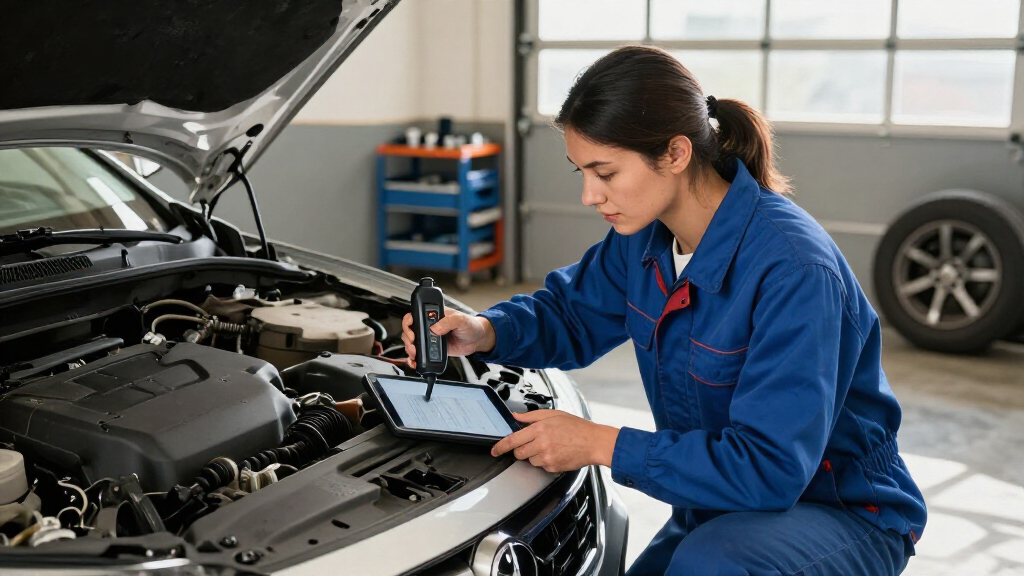
I ranked these wireless car diagnostic scanners by how well their capabilities match common buyer needs: reading and interpreting diagnostic codes, vehicle-system coverage, app or screen usability, connection style, and access to service or active-test functions. I also considered practical ownership factors, including whether a tool depends on a phone, how clearly its feature set can be matched to a specific vehicle, and whether advanced functions appear useful for the intended user rather than simply adding complexity.
The order gives priority to useful coverage and ease of making a sound buying decision, not to the longest feature list. Phone-based choices rank well when they offer a manageable way to diagnose everyday faults; tablet and bidirectional tools rise for buyers who need broader repair workflows. A scanner’s advertised functions can vary by vehicle, and duplicate BlueDriver entries in the supplied lineup represent the same named product rather than a separate capability tier. I would verify compatibility and app or subscription requirements for the exact vehicle before choosing any model.
Factors to Consider When Choosing Wireless Car Diagnostic Scanners
Before choosing a scanner, I’d start with the jobs you expect it to do and the vehicle you plan to connect it to. The right wireless setup depends on more than Bluetooth: phone support, vehicle-specific functions, and how far you want to go beyond reading a fault code all shape the choice.
Match Diagnostic Coverage to Your Vehicle
A standard OBD2 connection is not a promise that every scanner can read every system in every car. Basic readers commonly focus on emissions-related engine codes, while broader tools may access systems such as ABS, airbags, or manufacturer-specific modules on supported vehicles. Check the scanner maker’s compatibility information against the vehicle’s year, make, model, engine, and region before buying. If you own more than one car, check each one separately rather than assuming coverage transfers across a brand. A common mistake is buying by the phrase “full system” without confirming which modules and functions are available for the exact vehicle. For a single older car, broad coverage may add little; for a mixed household fleet, it can be a deciding factor.
Decide Whether You Need Code Reading or Active Tests
Reading and clearing a diagnostic trouble code is different from commanding a component to operate. Bidirectional controls can help a capable DIYer check supported systems during troubleshooting, but they do not replace mechanical diagnosis or guarantee that a repair is safe to perform. Ask whether you will actually use active tests or service functions such as resets, or whether you mainly want to understand a warning light before visiting a shop. More advanced tools may demand more familiarity with vehicle systems and menus. A frequent buying mistake is paying for repair functions that are unavailable on the buyer’s car or too complex for their intended use. I’d favor a simple reader for occasional checks and reserve advanced controls for owners with a clear repair workflow.
Check Phone, App, and Connection Requirements
A wireless dongle keeps the hardware small, but the app becomes part of the scanner. Confirm compatibility with your phone’s operating system and check whether the app requires an account, an internet connection, or paid access to particular information. Bluetooth and BLE behavior can also differ across phones, so confirm the maker’s connection instructions rather than assuming every device pairs the same way. Consider whether you need to leave the adapter connected or only plug it in for a short diagnostic session. A compact dongle is convenient to store, though a phone-based workflow can be less appealing if you prefer a dedicated display or share the scanner with someone who uses another platform. App support and update policies matter because the phone interface is central to everyday use.
Understand Service Functions and Software Limits
Reset and maintenance functions are often the most vehicle-dependent part of a scanner’s feature list. An advertised oil reset, battery registration, or other service routine may apply only to certain makes, years, or systems. Before paying more for a bundle of functions, confirm that the specific service you need is supported on your vehicle and that access does not depend on a separate purchase or subscription. Clearing a warning does not fix the underlying fault, and some monitors need driving time or repair work before they return to a ready state. Keep a record of codes and freeze-frame information before clearing anything. This approach helps prevent the common mistake of erasing useful diagnostic clues too early.
Choose a Form Factor for Your Repair Habits
A phone-connected scanner is easy to carry and can suit occasional checks, but it ties diagnostics to a personal device and its battery. A tablet-style unit offers a dedicated screen and may be easier to use while working through menus or comparing system information, at the cost of more hardware to store and maintain. Think about where you will scan: a small dongle fits a glovebox, while a larger tool may be more practical in a home garage. If multiple people will use it, consider whether each person can install the required app and access the same functions. Don’t confuse a bigger screen with better vehicle coverage; the software and supported modules determine what the scanner can do. Choose the form that fits your routine, not the one that looks most advanced.
Set a Sensible Limit for Spending on Capability
Paying more makes sense when the extra coverage, bidirectional controls, or dedicated interface will be used regularly. For occasional warning-light checks, a simpler scanner may answer the key question without adding menus or service functions you never use. Compare the full ownership requirements, including app access, subscriptions, updates, and any vehicle-specific limitations, rather than judging by the initial hardware alone. A low-cost device that cannot access the system you need may be poor value, while a professional-style tool can be needless complexity for a basic owner. Before choosing, write down the two or three tasks you expect to perform most often and check that the scanner supports them on your car. That short list is a better guide than a long count of advertised features.
Frequently Asked Questions
Will a wireless OBD2 scanner work with any car?
No single scanner should be assumed to work with every car or every diagnostic system. OBD2 compatibility depends on vehicle age, market, and the type of information you want to access, while ABS, airbag, and manufacturer-specific coverage can vary by scanner and model. Check the tool’s compatibility information for the exact year, make, and model before ordering. If you plan to use it with several vehicles, verify each one separately. A connection that reads engine codes may still lack access to other modules.
Can I use one of these scanners to turn off a check-engine light?
Many OBD2 scanners can clear supported engine fault codes, but clearing a code does not repair the condition that caused it. The warning may return if the fault remains, and clearing codes can erase useful diagnostic information or reset emissions readiness monitors. Record the code and any available related data before clearing it. If the light is flashing or the vehicle is running poorly, treat that as a possible urgent fault rather than relying on a reset. Use the scanner to guide diagnosis, not as a substitute for fixing the cause.
Is a Bluetooth scanner as capable as a tablet-style diagnostic tool?
Not automatically: wireless describes how the scanner connects, not how much diagnostic work it can do. A phone dongle can be convenient for basic code checks, while a more advanced tablet-style device may offer broader system access or repair functions. Capabilities still depend on the vehicle and software, so the form factor alone is not proof of coverage. Choose a dongle if portability and occasional checks matter most. Consider a dedicated-screen tool when you expect to use more involved diagnostic workflows.
Do bidirectional controls make a scanner a good choice for a beginner?
Bidirectional controls can be useful, but they are not automatically the best starting point. They let a scanner command certain supported components, which can help isolate faults when the user understands the test and its limits. A beginner who mainly wants to interpret a dashboard warning may get more value from a clear app and dependable code explanations. Before using an active test, confirm that it applies to the vehicle and follow the tool’s instructions. If you do not have a specific reason to command components, a simpler scanner may be easier to use responsibly.
Should I choose a scanner with many reset functions if I only own one car?
Only if the advertised functions match maintenance tasks you expect to perform on that particular car. Reset menus can sound broadly useful, yet availability often depends on make, model, year, and system, and some features may require additional software access. Check the exact compatibility details for the routine you need before choosing a more advanced model. If your main goal is occasional engine-code checks, a long list of resets may add cost and complexity without changing your ownership routine. Focus on confirmed support for your vehicle rather than the total number of functions.
Conclusion
For most drivers seeking a flexible phone-based starting point, I’d choose the BlueDriver Bluetooth OBD2 Scanner as the best overall fit in this lineup. Buyers focused on a simpler, compact setup can compare the Veepeak OBDCheck BLE as a value-oriented choice, while the Autel MaxiCOM MK900BT is the best premium direction for users who need a dedicated tablet interface and broader diagnostic ambitions. Beginners should prioritize a clear app and confirmed support for their vehicle over advanced controls; BlueDriver or a basic Veepeak-style reader may suit that approach. For specific repair needs, look to bidirectional models such as the XTOOL A30M, TOPDON TopScan Lite, or THINKCAR ThinkScan Plus S7, after checking that their functions apply to your car. Before buying any pick, confirm vehicle compatibility and software requirements; the best scanner is the one that supports the work you will actually do.
Halloween Picks

Kalolary 11 ft Halloween Inflatable Archway Ghost House Tunnel

12.2 ft Halloween Inflatable Outdoor Decoration – Giant Pumpkin

DomKom 6 ft Halloween Inflatable Ghosts Roasting Marshmallows
As an affiliate, we earn on qualifying purchases.