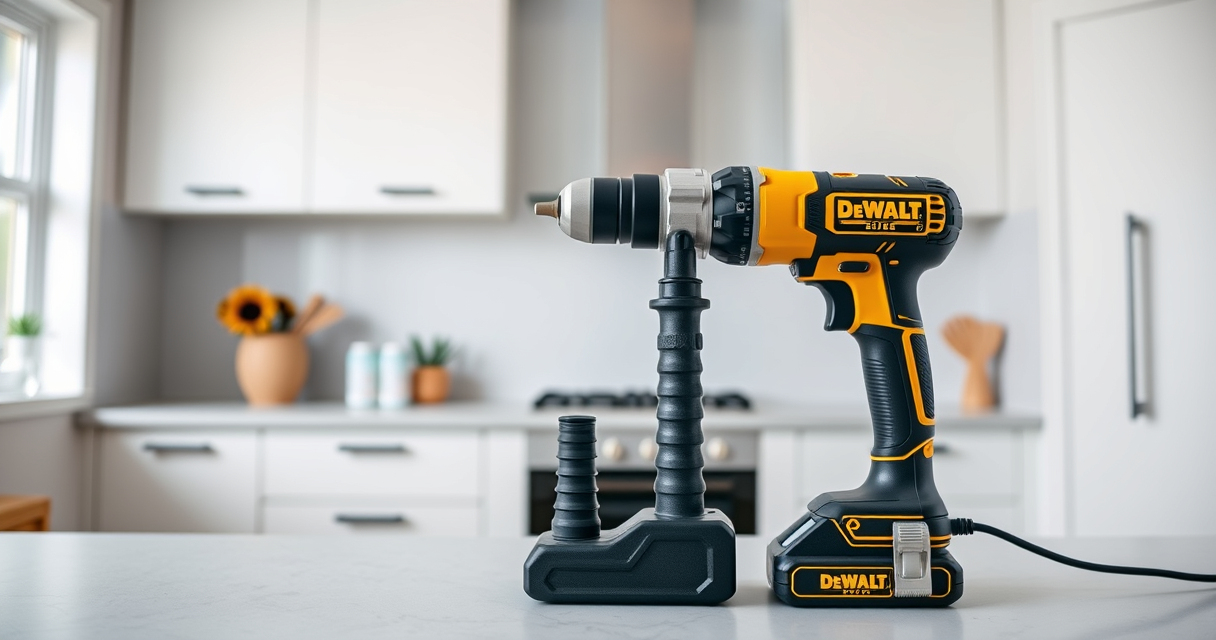

If your DEWALT power tools are overheating during use, it can be due to various reasons such as overuse, poor ventilation, or mechanical issues. Overheating not only reduces the tool’s efficiency but can also lead to permanent damage or safety hazards. This guide provides clear, safe, and effective steps to identify and fix overheating problems, helping you extend the lifespan of your tools and maintain their performance.
By understanding the common causes and applying the right troubleshooting techniques, you can resolve overheating issues quickly and safely, ensuring your DEWALT tools remain reliable for all your projects.
Key Takeaways
| Overheating causes | Poor ventilation, overuse, or mechanical issues |
| Cooling importance | Proper cooling prevents damage and prolongs tool life |
| Regular maintenance | Cleaning vents and checking brushes regularly |
| Proper usage | Avoid continuous operation beyond recommended time |
| Safe troubleshooting | Always disconnect power before inspecting or repairing |

DEWALT 20V MAX Cordless Drill and Impact Driver, Power Drill Brushless 2-Tool Power Tool Combo Kit, Includes 2 Batteries, Charger and Bag (DCK277D2)
- Compact Size: 7.6-inch lightweight design for tight spaces
- Ergonomic Grip: Comfortable, balanced control for extended use
- Bright LED Light: Illuminates work area with 20-second delay
As an affiliate, we earn on qualifying purchases.
Identify the Overheating Symptoms
Before attempting any fixes, recognize the signs of overheating in your DEWALT tool. Common indicators include a burning smell, the tool shutting down unexpectedly, excessive heat felt on the casing, or the trigger becoming unresponsive. Noticing these symptoms early can prevent further damage.
Use your hand carefully to feel for abnormal warmth, and listen for any unusual noises that might indicate internal issues. If your tool feels hot to the touch within a few minutes of operation, it’s time to troubleshoot.
Ensure Proper Ventilation and Cleaning
- Unplug the tool and allow it to cool completely before inspecting.
- Check the cooling vents for dust, debris, or obstructions. Use a soft brush or compressed air to clean out any buildup, ensuring unobstructed airflow.
- Inspect the vents for any damage or cracks that might impair cooling. Repair or replace if necessary.
- Regular cleaning after each use can prevent overheating caused by dust accumulation.
Check the Brushes and Mechanical Parts
Worn brushes can cause increased heat due to poor electrical contact. Remove the brush caps according to your model’s instructions and inspect the brushes for wear. Replace them if they are less than 1/4 inch long.
Additionally, examine moving parts like gears or the chuck for signs of wear or obstruction. Lubricate if recommended by the manufacturer, but avoid over-lubrication which can attract dust and cause overheating.
Review Usage Patterns and Load
Overuse or continuous operation beyond recommended durations can cause overheating. Use your tool in short bursts, especially when working under heavy load. Allow a cooling period of at least 10 minutes after 3-5 minutes of continuous use.
If you’re working on demanding tasks, consider upgrading to a higher-capacity battery or a more powerful model to handle the load without overheating.
Monitor and Maintain the Battery System
Since your DEWALT 20V MAX Cordless Drill and Impact Driver relies on batteries, ensure they are in good condition. Check the battery’s LED indicator for proper charge; a weak or malfunctioning battery can cause overheating.
Use the recommended batteries, like the DEWALT 20V MAX 5 Ah Lithium-Ion Battery, and store batteries in a cool, dry place. Avoid leaving batteries in direct sunlight or extreme heat, which can lead to overheating and reduced performance.
When to Seek Professional Repair
If you’ve followed these steps and your tool still overheats, it may have internal issues such as damaged windings or faulty circuitry. Do not attempt to disassemble or repair internal components yourself, as this can be dangerous.
Contact DEWALT authorized service centers or qualified technicians for repairs. Using a damaged tool can pose safety risks and lead to further damage.
The Products in This Guide

DEWALT 20V MAX Cordless Drill and Impact Driver
- ✔ Length: 7.6 inches
- ✔ Control: Variable speed trigger
- ✔ Chuck: Quick release hex

DEWALT Drill Bit Set
- ✔ Length: Varies
- ✔ Tip Angle: 135°
- ✔ Shank Type: Hex
DEWALT 20V MAX Cordless Drill and Impact Driver
The DEWALT 20V MAX Cordless Drill and Impact Driver set offers robust performance and durability. Regular maintenance and proper usage are key to preventing overheating issues and ensuring your tools operate smoothly for years to come.
Pros:
- Compact and lightweight design
- Brushless motor for efficiency
- Includes 2 batteries and charger
- Ergonomic grip for comfort
Cons:
- Vents can clog if not cleaned regularly
- Overuse can still cause overheating
- Internal repairs require professional service
Best for: DIY enthusiasts and professionals needing reliable cordless drills
Not ideal for: Heavy-duty continuous use without proper cooling
Bottom line: With proper care and maintenance, your DEWALT drill set will deliver dependable performance and prevent overheating issues.
DEWALT Drill Bit Set
Complement your DEWALT cordless drill with this high-quality drill bit set. Designed for precision and durability, it helps you complete various tasks efficiently, reducing strain and overheating caused by improper bit use.
Pros:
- 14 high-speed steel bits
- 135-degree split point tip
- Fits plastic, wood, and metal
- Rust-resistant coating
Cons:
- Not suitable for heavy-duty industrial use
- Limited to standard drilling tasks
- Bits may wear with excessive use
Best for: Home DIY projects and light to medium tasks
Not ideal for: Heavy industrial or continuous drilling
Bottom line: A versatile drill bit set that enhances your drilling tasks while helping prevent overheating from improper bit use.
Frequently Asked Questions
Why does my DEWALT drill overheat so quickly?
Overheating can be caused by dust blocking vents, worn brushes, overuse, or mechanical issues. Regular cleaning and proper usage can help prevent this.
How often should I clean the cooling vents?
It’s best to clean the vents after every few uses or whenever you notice dust buildup, using compressed air or a soft brush.
Can I fix internal overheating myself?
Internal repairs should only be performed by qualified technicians. Attempting DIY repairs can be dangerous and may void your warranty.
What are the best practices for preventing overheating?
Use your tool in short bursts, keep vents clean, avoid continuous operation beyond recommended durations, and ensure batteries are in good condition.
Is it normal for my battery to get hot?
Some heat is normal during operation, but excessive heat or overheating indicates an issue with the battery or tool. Allow it to cool and inspect for problems.
Keep Your DEWALT Tools Cool and Reliable
Proper maintenance and mindful usage are key to preventing overheating of your DEWALT power tools. Regularly cleaning vents, inspecting mechanical parts, and avoiding continuous operation can significantly extend the lifespan of your tools. If problems persist despite troubleshooting, seek professional repair to ensure safety and optimal performance. By taking these steps, you’ll maximize your investment and enjoy dependable performance for years to come.
Affiliate disclosure: As an Amazon Associate we earn from qualifying purchases. Prices and availability are accurate as of the time of publishing.