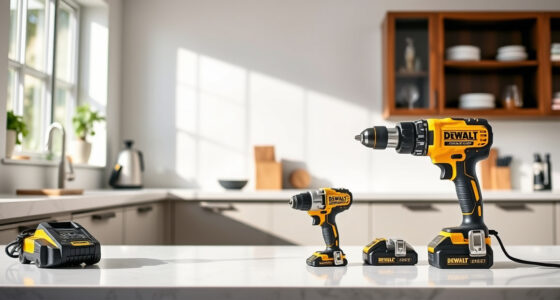
If your DEWALT 20V MAX battery isn’t charging, it can halt your work progress. Understanding common causes and following proper troubleshooting steps can help you get back to your projects quickly and safely.

Get garage and car supplies delivered free — and shop member deals
- Fast, free delivery on millions of items
- Access to Prime Big Deal Days deals on October 6–7
- Prime Video, Amazon Music and more included
This guide provides clear, practical solutions to diagnose and resolve charging issues for your DEWALT power tools.
Key Takeaways
| Battery connection | Ensure the battery is properly seated in the charger. |
| Charger condition | Check if the charger is functioning and free of damage. |
| Battery health | Identify if the battery is old or damaged and needs replacement. |
| Electrical source | Verify the power outlet or extension cord is working. |
| Temperature considerations | Avoid charging in extreme heat or cold for optimal performance. |
Check the Battery Connection
- Remove the battery from the tool and inspect the contacts for dirt or corrosion.
- Reinsert the battery firmly into the charger, ensuring it clicks into place.
- Make sure the battery is properly aligned with the charger contacts.
Inspect the Charger and Power Source
- Verify the power outlet is working by plugging in another device.
- Inspect the charger’s cord and plug for damage or fraying.
- Try charging with a different outlet or extension cord if available.
Test the Battery
If the battery is old or has been used extensively, it may no longer hold a charge. Try charging a different, known-good battery if available to determine if the problem is with the battery or charger.
Reset and Clean Contacts
- Clean the battery contacts and charger terminals with a dry cloth or a soft brush.
- Allow the charger to cool down if it’s warm, then try charging again.
- Unplug the charger for several minutes before reconnecting.
Replace the Battery or Charger
If troubleshooting doesn’t resolve the issue, consider replacing the battery (e.g., DEWALT 20V MAX 5 Ah Lithium Ion Battery 2-Pack) or the charger. Always use compatible parts for safety and performance.
The Products in This Guide

DEWALT 20V MAX Cordless Drill Driver Set
- ✔ Length: 7.6 inches
- ✔ Weight: 3.3 lbs
- ✔ LED Light: Yes

DEWALT Drill Bit Set
- ✔ Tip Angle: 135°
- ✔ Durability: High
- ✔ Compatibility: All standard chucks
DEWALT 20V MAX Cordless Drill Driver Set
The DEWALT 20V MAX Cordless Drill Driver Set offers excellent power with its brushless motor, making it a dependable choice for various applications. Its compact design and LED work light enhance usability in tight or dimly lit spaces.
Pros:
- Brushless motor provides longer run time
- Compact and lightweight design
- Ergonomic grip for comfortable use
- Includes 2.0 Ah battery and charger
Cons:
- Limited to 2-speed settings
- Battery life may vary with heavy use
- No additional accessories included
Best for: DIYers and professionals needing a durable, versatile drill
Not ideal for: Heavy-duty industrial use or extended runtime needs
Bottom line: A reliable, compact drill suitable for a wide range of tasks.
DEWALT Drill Bit Set
This DEWALT Drill Bit Set complements your cordless drill perfectly, offering 14 high-speed steel bits with a split point design for reduced walking and increased precision.
Pros:
- Corrosion-resistant coating
- High-quality steel for durability
- Easy size identification
- Suitable for multiple materials
Cons:
- Limited to bit sizes included
- Not for heavy industrial use
- May require a bit holder for larger bits
Best for: General-purpose drilling in wood, metal, and plastic
Not ideal for: Heavy-duty or specialized industrial applications
Bottom line: A versatile drill bit set for everyday DIY and professional use.
Frequently Asked Questions
Why isn’t my DEWALT battery charging?
Common reasons include poor contact between the battery and charger, a faulty charger, or a damaged battery. Follow troubleshooting steps to identify the issue.
How do I reset my DEWALT charger?
Unplug the charger from the power source, wait for a few minutes, then reconnect. Ensure the contacts are clean and the battery is properly seated.
Can I use a different DEWALT battery with my charger?
Yes, as long as the battery is compatible with your charger model and has the correct voltage and capacity.
What should I do if my battery still won’t charge after troubleshooting?
Consider replacing the battery or charger. Contact DEWALT customer support for further assistance or warranty options.
Getting Your DEWALT Power Tools Back in Action
By following these troubleshooting steps, you can often resolve charging issues and extend the life of your batteries and chargers. Always prioritize safety and use genuine parts for the best results. If problems persist, professional repair or replacement may be necessary to ensure safe operation of your tools.
Affiliate disclosure: As an Amazon Associate we earn from qualifying purchases. Prices and availability are accurate as of the time of publishing.
Fall Picks
fall essentials
As an affiliate, we earn on qualifying purchases.